Dock scheduling
Every door a tile. Every load with its clock.
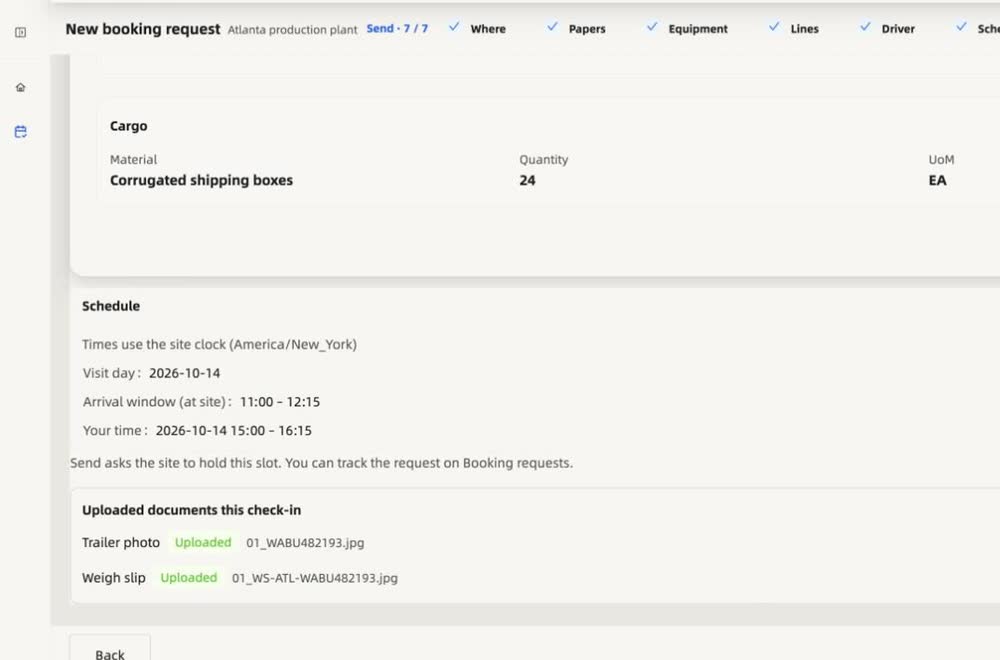
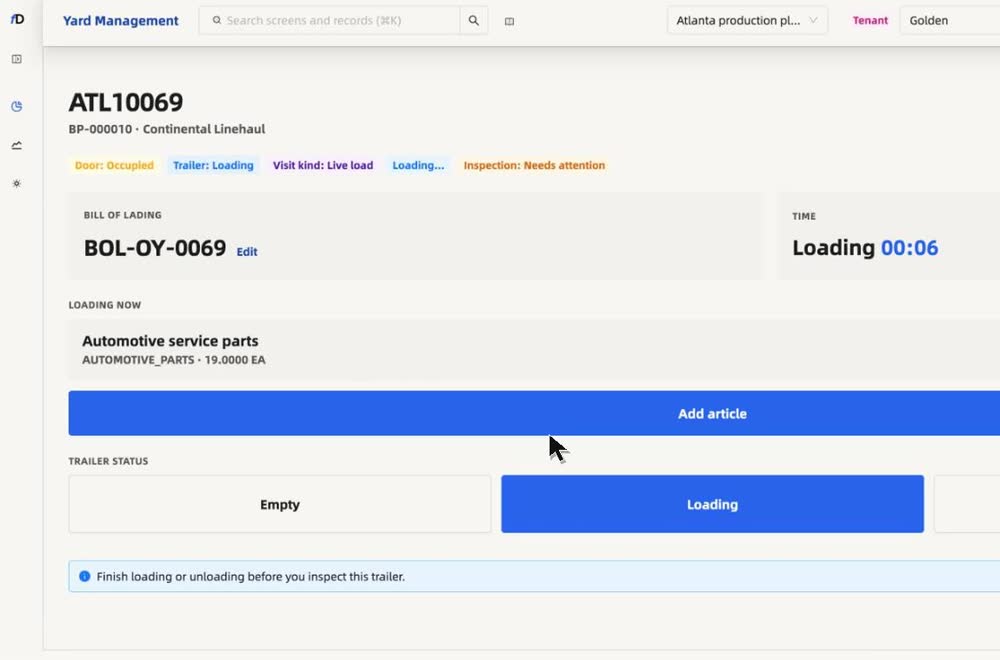
Carriers pick an open slot, the yard confirms, and the dock works the trailer with a running clock from loading to loaded.
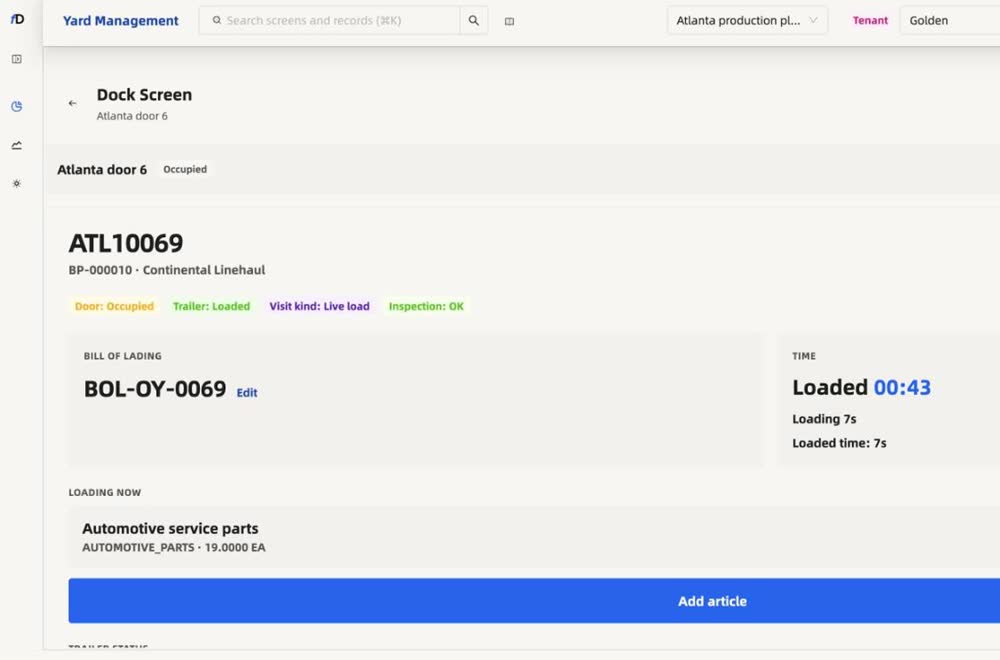
Watch it work
Real recordings from the product.
What it is worth
What changes for the business.
Moves done on time
A timer on every move shows where the minutes go.
Arrival surprises
A confirmed time is a real time.
Idle doors
The next truck is ready before the door is free.
How a visit moves
Four steps, one record.
- 1BookPick an open slot.
- 2AssignGive it a door.
- 3WorkInspect and load.
- 4CloseLoaded, with the time.
Every load with its clock
See the time a load really takes.
From gate in to loaded to gate out, each step is stamped. Free time, elapsed units and any charge are on the visit, not in someone's notes.
Free time, tier breakdown, and accrued charges for this visit. Policy comes from site rules and any partner overlay.
Tier breakdown
What you can do
Everything on one screen, no side trips.
- Carriers pick from the plant's own open slots
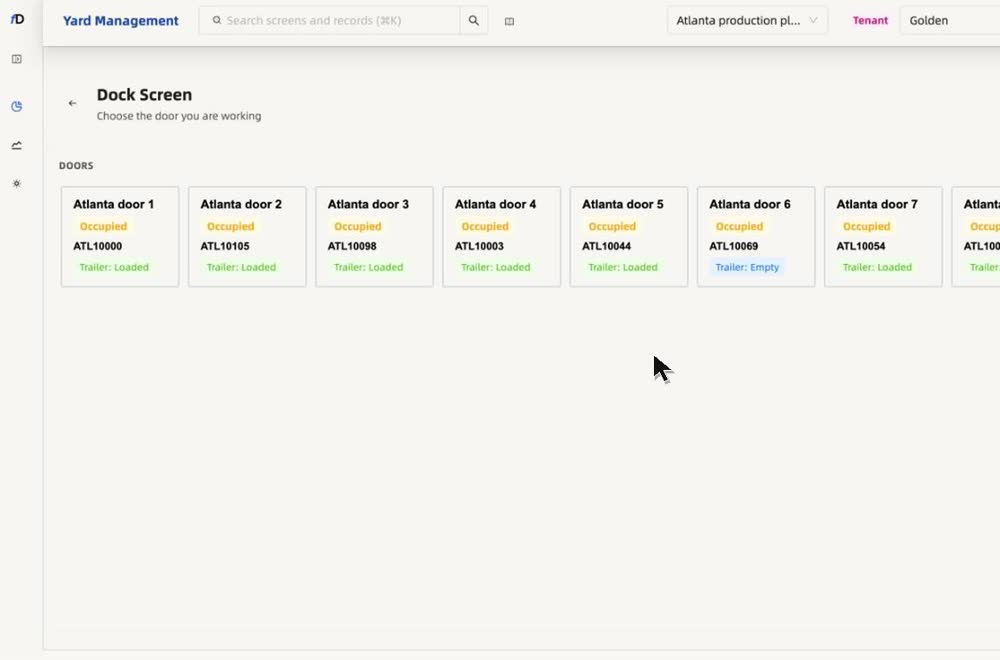
- Door tiles show what is at each door
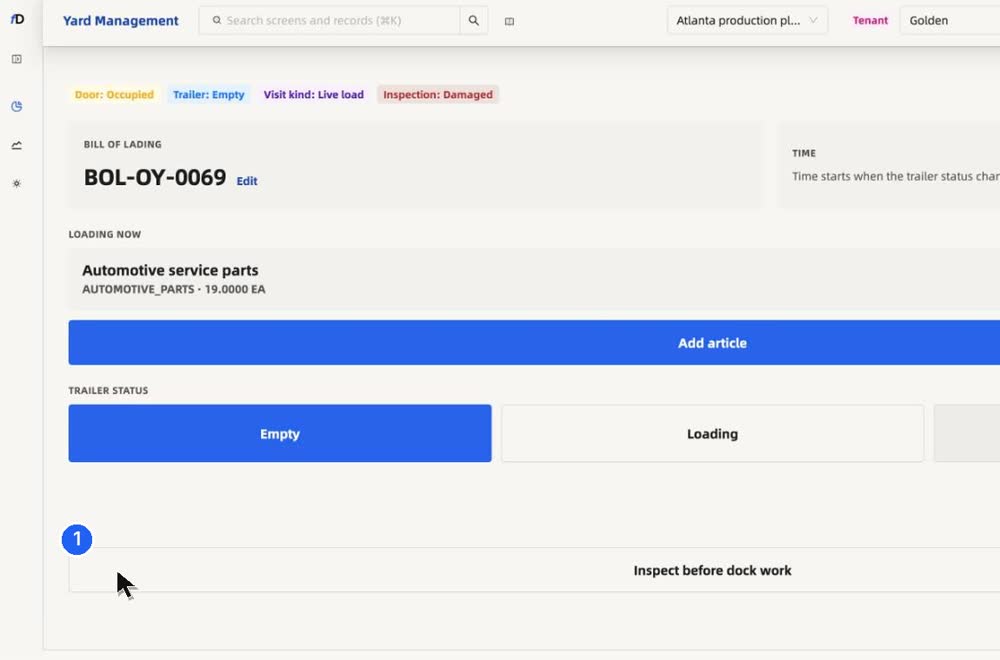
- Work the trailer: inspect, and say what is wrong
- Loading runs with a clock
- Loaded shows the time it took
- Everything stays on the same visit
In depth
Dock scheduling, explained.
Doors
Every door a tile, every load with its clock
Each dock door shows the trailer at it, the partner, the bill of lading and the progress of loading or unloading. From gate in to loaded to gate out, each step is stamped, so you see how long a load really takes.
Appointments
Carriers book the visit, the dock sees it coming
Carriers book in the Partner app or the portal, with their papers attached. The dock sees what is coming, so crews and doors can be ready. Free time, elapsed units and any charge are visible on the visit.
Proof
Proof captured while the door is working
While the door works, load proof is captured: seal, count and photos with time, place and device. That is the evidence behind a loading-time or a damage question.
Questions
Straight answers, in full.
What does a door tile show?
The trailer at the door, the partner, the bill of lading and each item, with a clock from loading to loaded.
Can carriers pick the time?
Carriers pick a time from your open slots in the Partner app, and the request arrives complete.
Is dock scheduling the same as yard management?
Dock scheduling covers appointments and door assignment. Yard management connects that to gate capture, the yard map, freight, dwell, and gate-out on one visit.
Can the warehouse see door readiness early?
Yes. Dock teams see door assignment, staging progress, and dwell on the same live update gate and yard teams use — before the truck waits at the door.
Works with
The rest of the platform.
See it on your own yard.
Talk to our team and we will walk through your gates, doors and carriers.
Talk to our team