Carrier appointments
Carriers book from their phone. You get it complete.
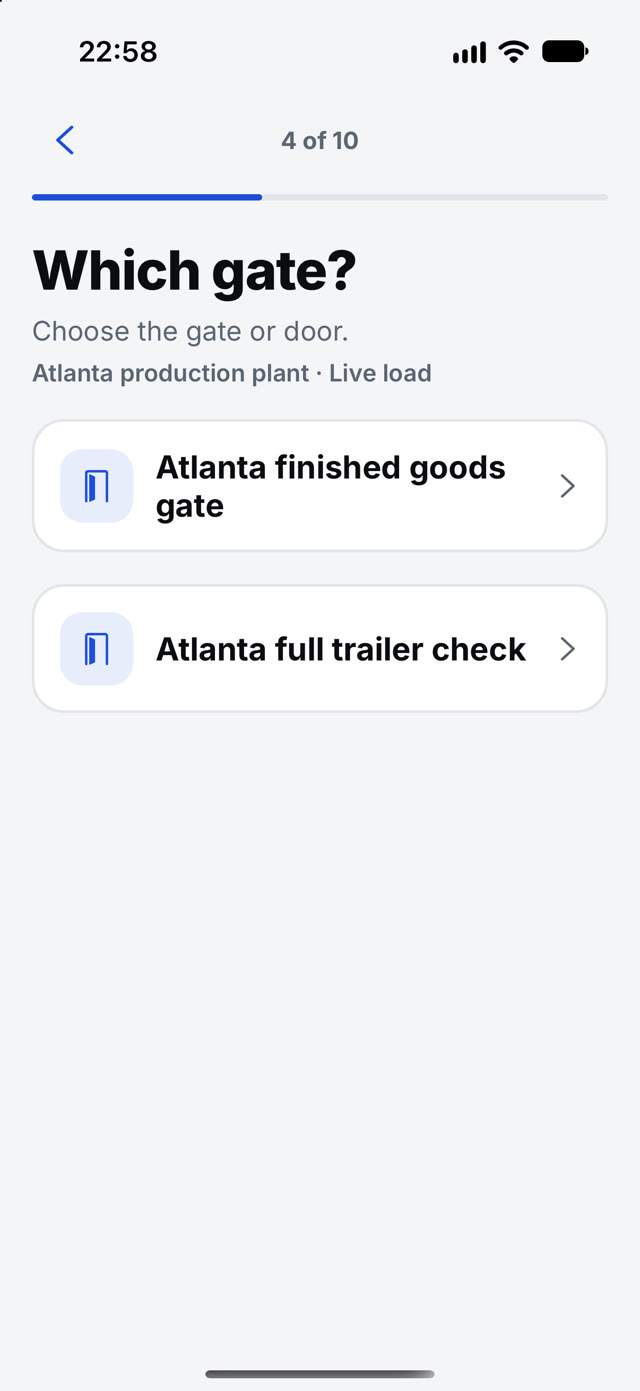
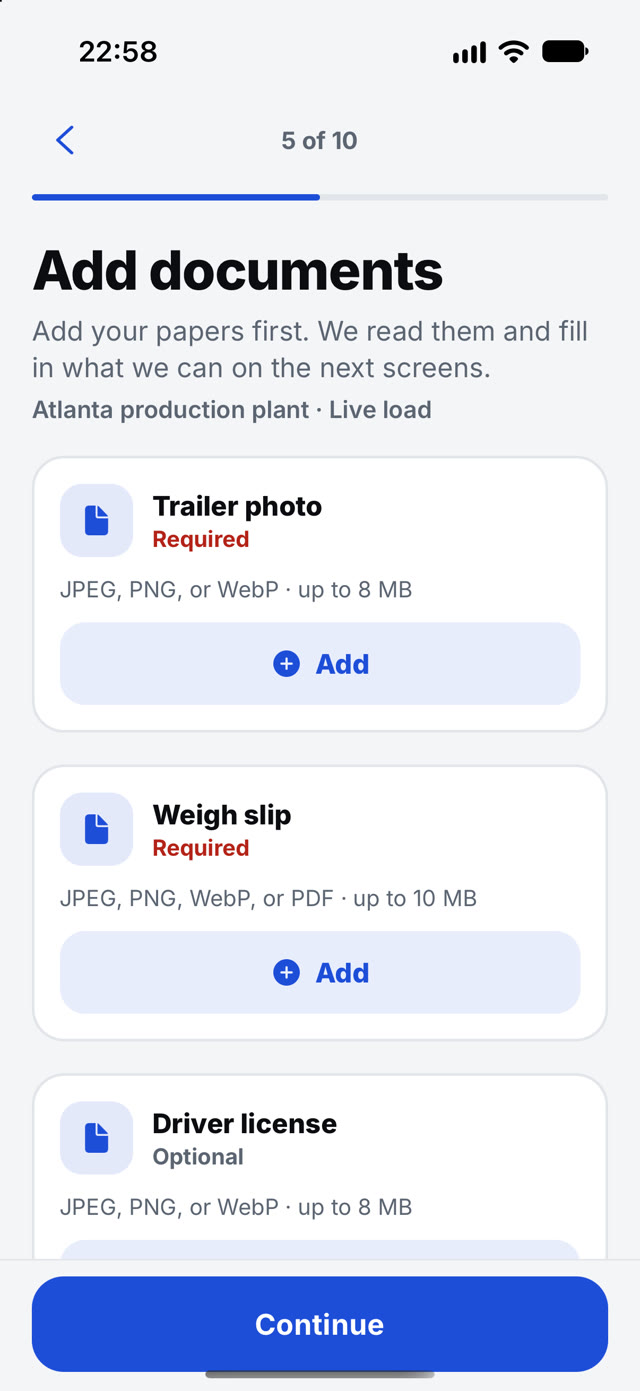
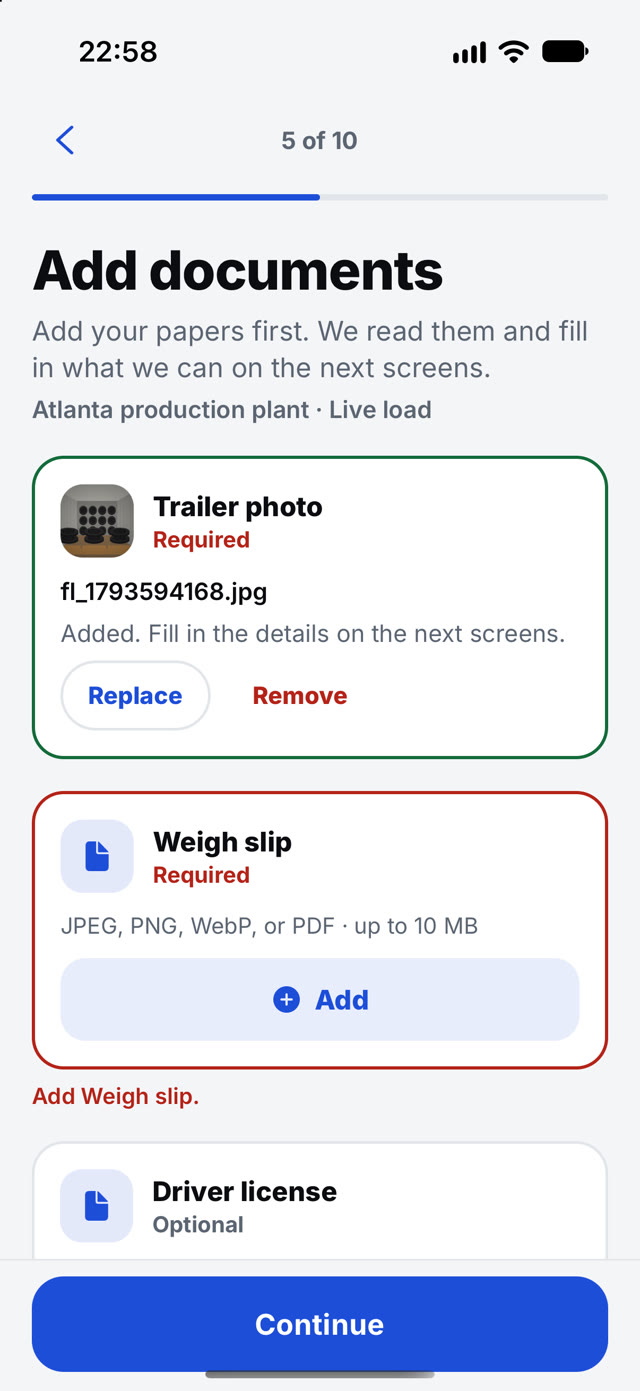
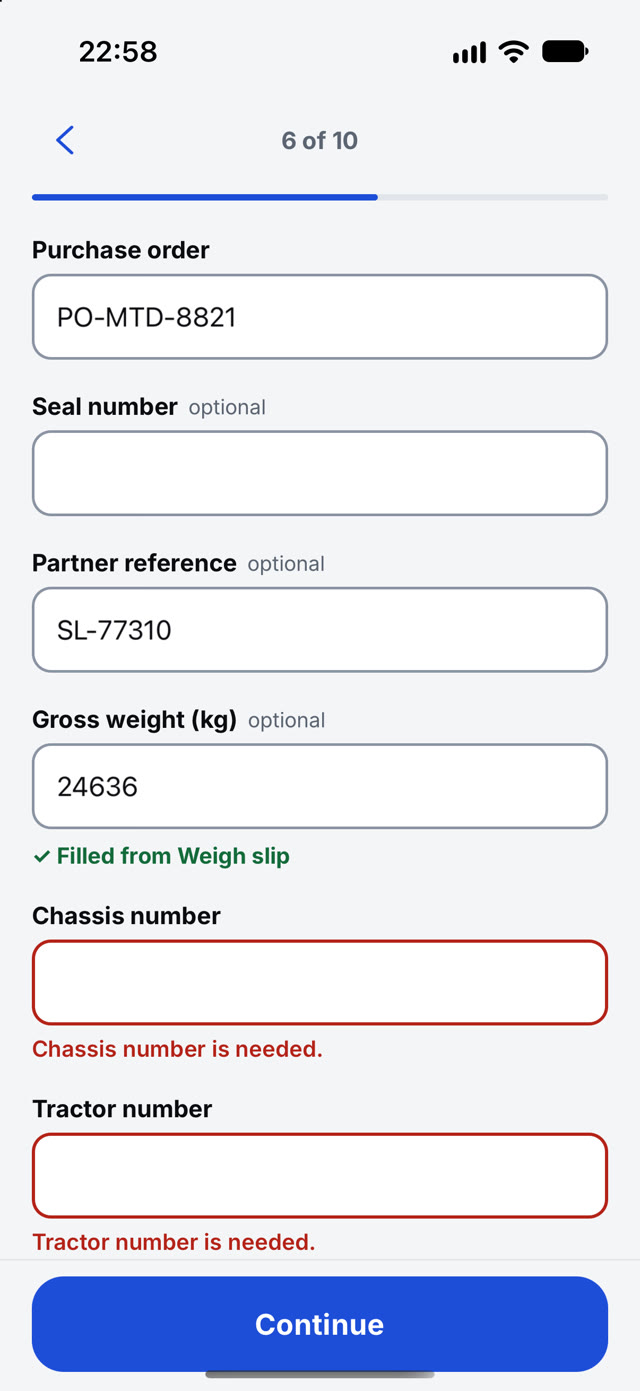
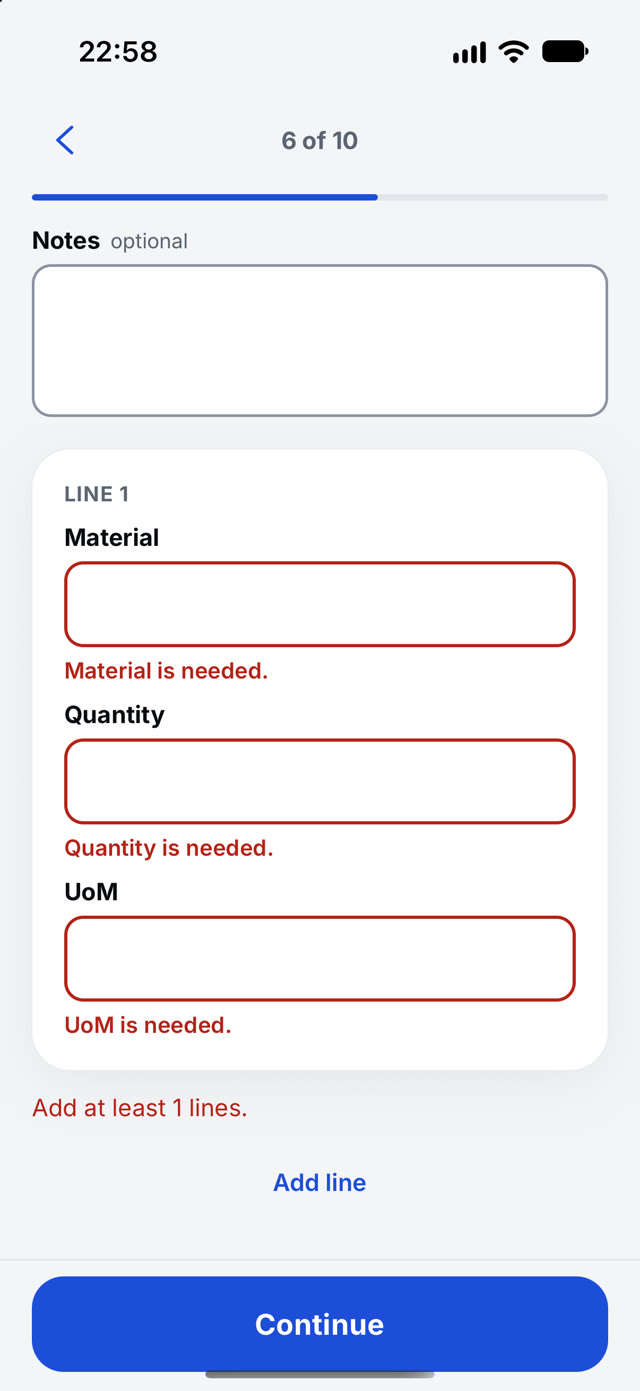
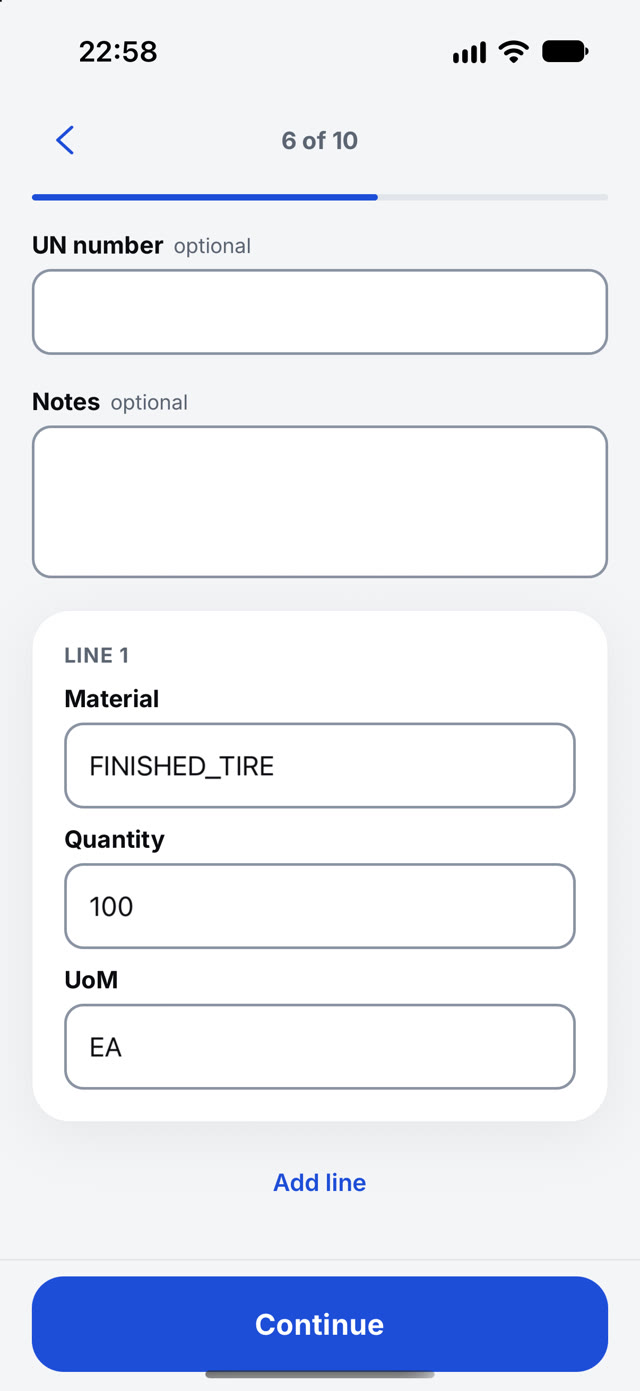
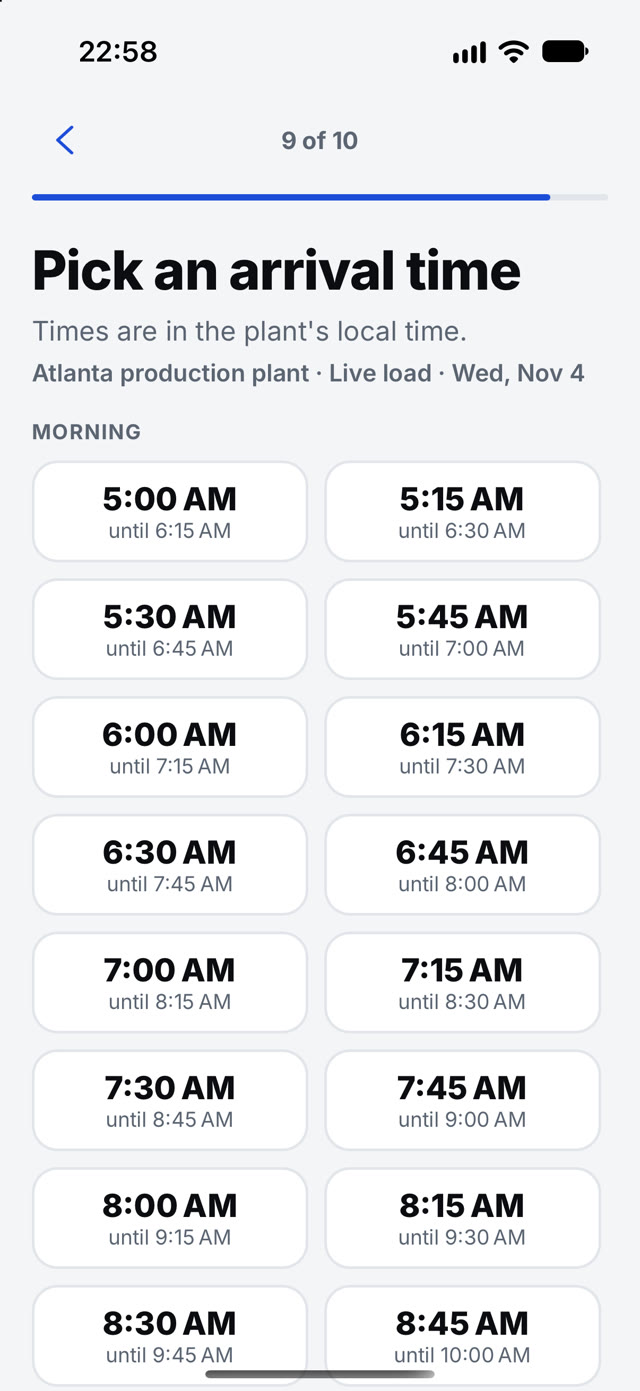
Partner is the carrier's app: choose the gate, attach the papers, pick a time from your open slots, and follow the visit after.
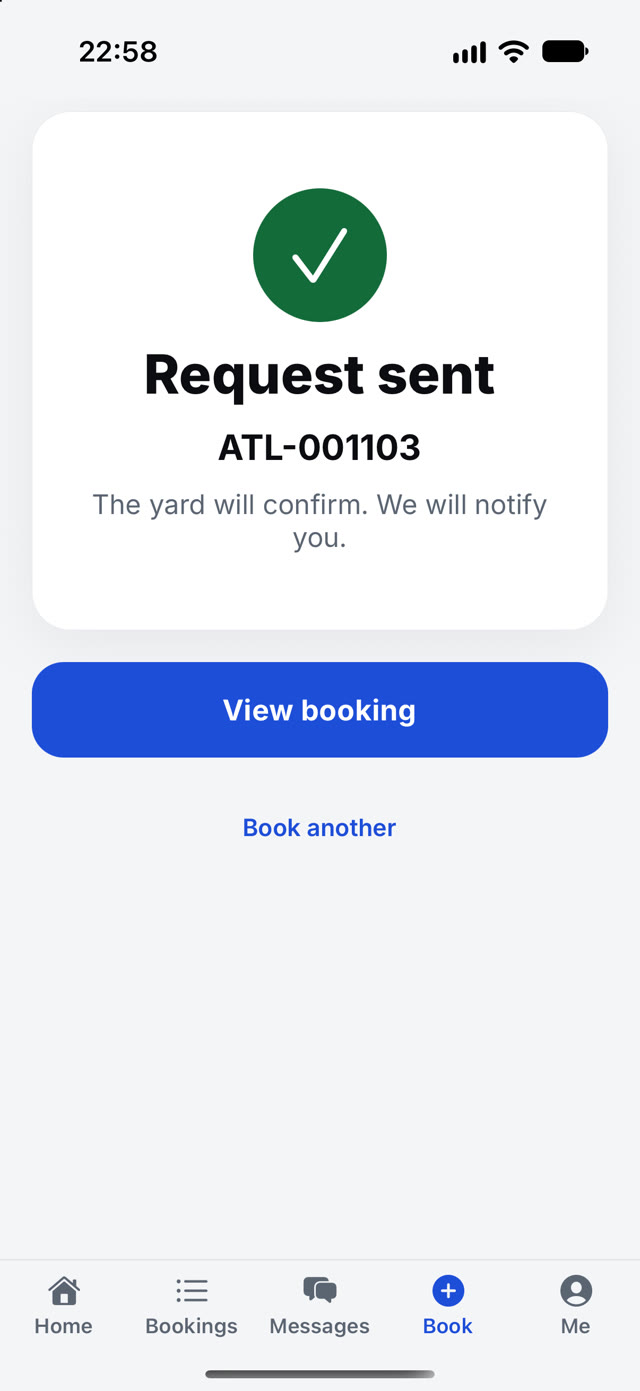
The carrier's side
Carriers book from their phone. The yard sees it at once.
The partner books from the open slots you set, and the request appears on the yard desk with the rules already checked.
Watch it work
Real recordings from the product.
What it is worth
What changes for the business.
Phone calls to book
The request goes in with papers attached, any time of day.
Bookings that arrive complete
Facts come from the papers.
Arrival surprises
Slots are yours, so a confirmed time is real.
How a visit moves
Four steps, one record.
- 1ChooseGate and visit type.
- 2AttachThe papers.
- 3PickAn arrival time.
- 4FollowUntil delivered.
Messages on the visit
Ask for a document. Get it back on the same thread.
The yard, the carrier and the driver talk on the visit. Document requests close when the paper arrives, and gate notices go out on their own.
- Only staff of that site can see the thread
- Document requests close when the paper arrives
- Gate-in and gate-out notices go out on their own
- Unread too long? An e-mail follows
What you can do
Everything on one screen, no side trips.
- Choose the gate and the kind of visit
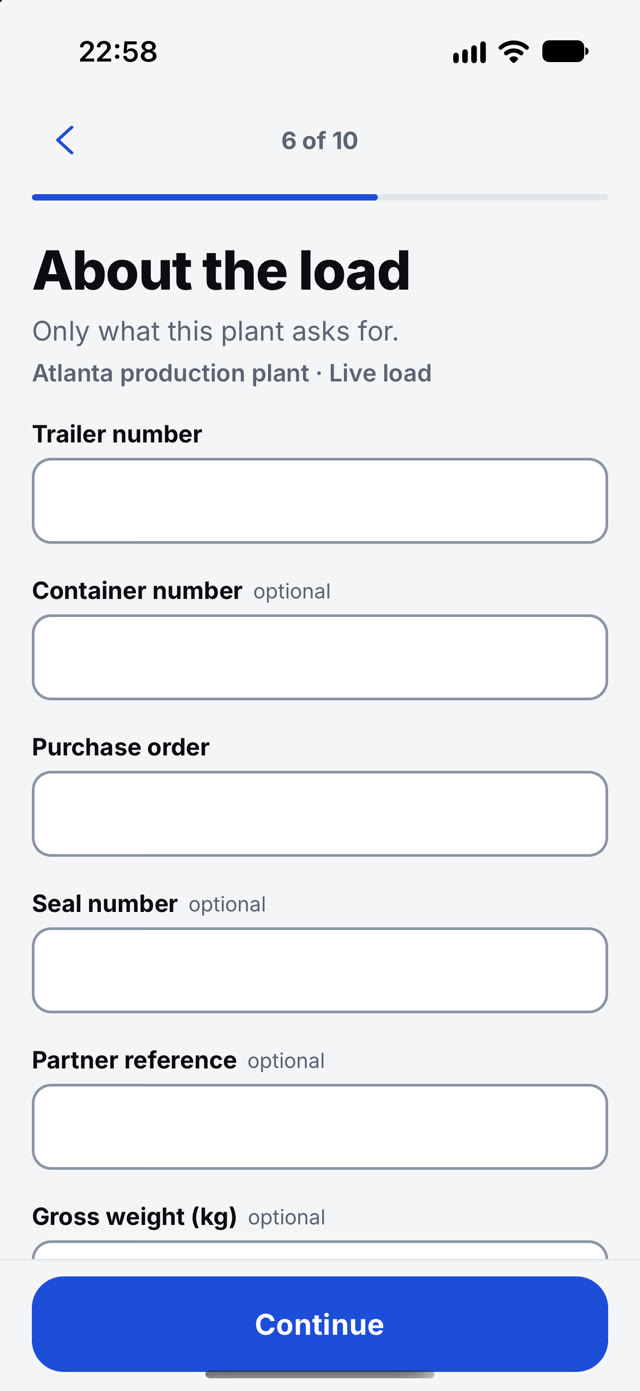
- Papers first. Partner fills in what it can
- Trailer, container, PO, seal, weight and material lines
- Arrival time from the plant's open slots
- Notified when the yard confirms
- Tracking after the visit, with proof of delivery
In depth
Carrier appointments, explained.
Book
Carriers book with their papers attached
A carrier books a visit in the Partner app or the portal, adds the driver's name, phone and e-mail, and attaches the papers the yard needs. The yard sees the booking before the truck arrives.
Messages
One thread per visit
The yard, the carrier and the driver talk on the visit. Messages show as sent, delivered and read. Document requests close when the paper arrives, gate-in and gate-out notices go out on their own, and an e-mail follows when a message stays unread for too long. Only staff of that site can see the thread.
Arrival
The driver arrives with a pass
The booked driver receives a one-time arrival pass. The gate scans it once and the visit starts from a record both sides already agree on.
Questions
Straight answers, in full.
How does a carrier book?
In the Partner app: papers first, then the gate, the load and a time from your open slots. The request arrives complete.
Is the carrier checked before the booking is accepted?
Your rules check every booking, and authority and insurance are checked against FMCSA records. Trusted carriers are confirmed at once and everyone else waits for one click.
Do carriers need a separate portal?
No extra system. floDock Partners is the carrier view on the same visit record gate and yard teams update — booking, status, and documents in one place.
Can the yard review appointments before confirming?
Yes. Your yard configures appointment handling — Auto confirm or Review first. The flow below shows what each setting does when a carrier submits.
Works with
The rest of the platform.
See it on your own yard.
Talk to our team and we will walk through your gates, doors and carriers.
Talk to our team