Partner for carriers
Book a visit, attach the papers, pick a time, and follow it.
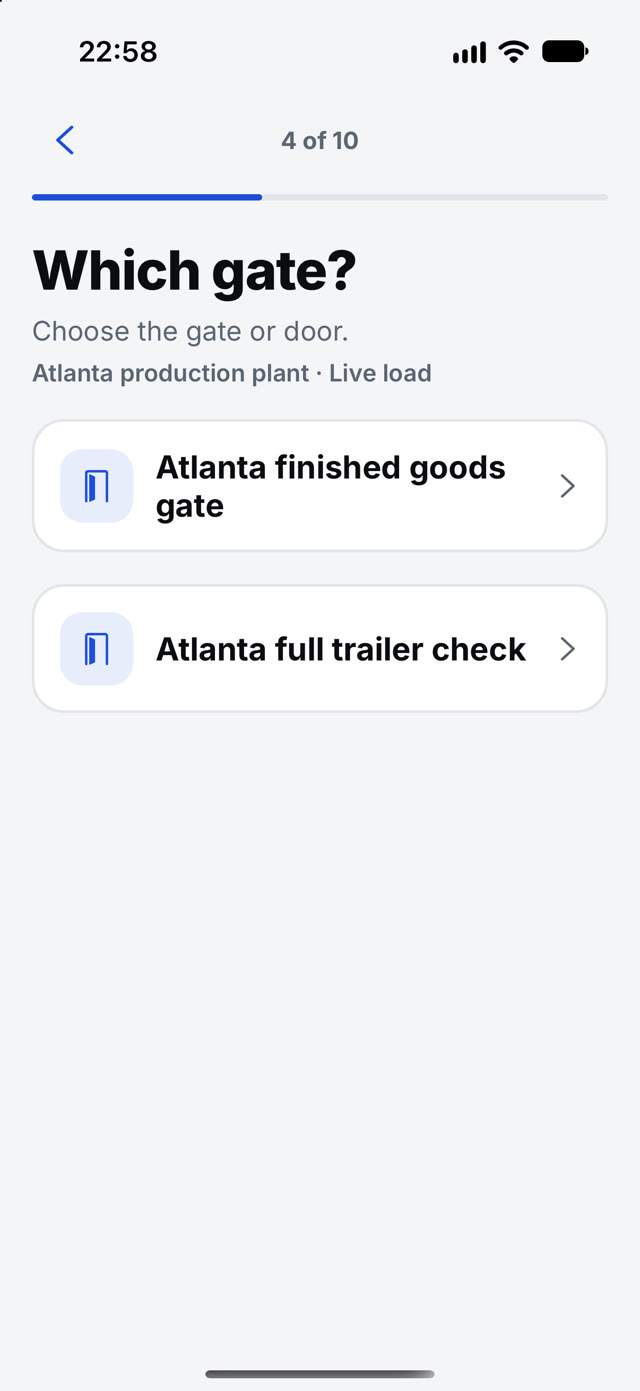
- Choose the gate and the kind of visit
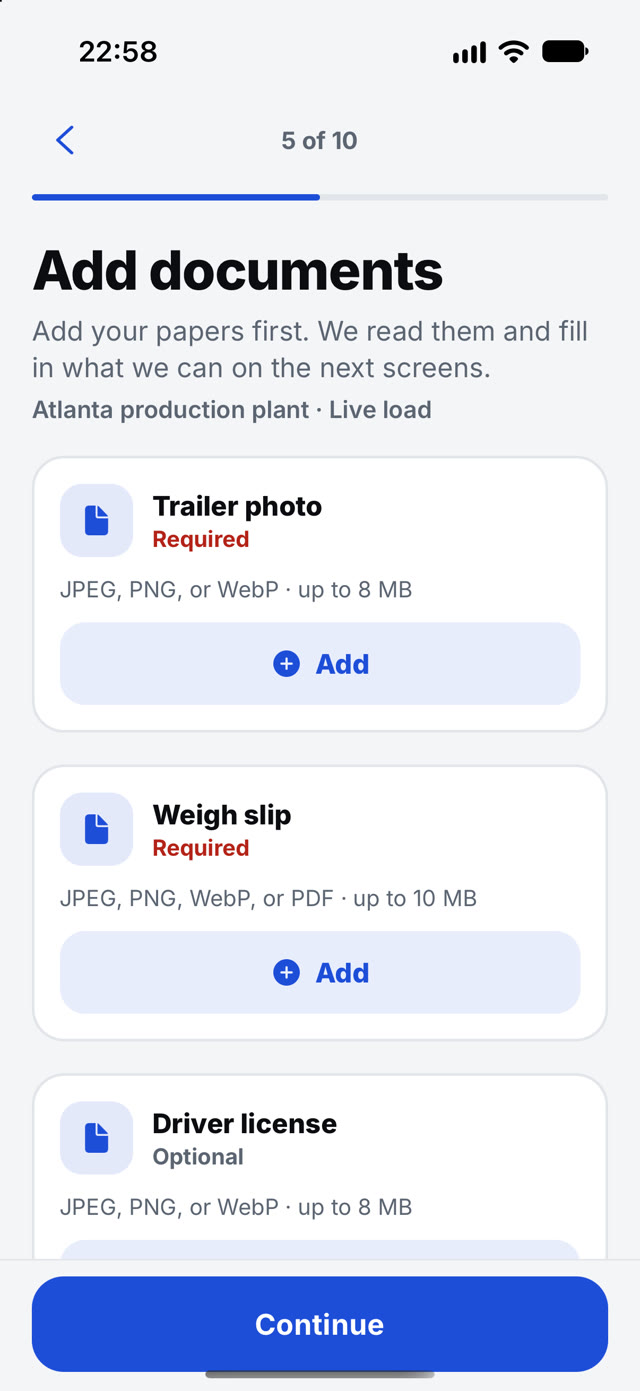
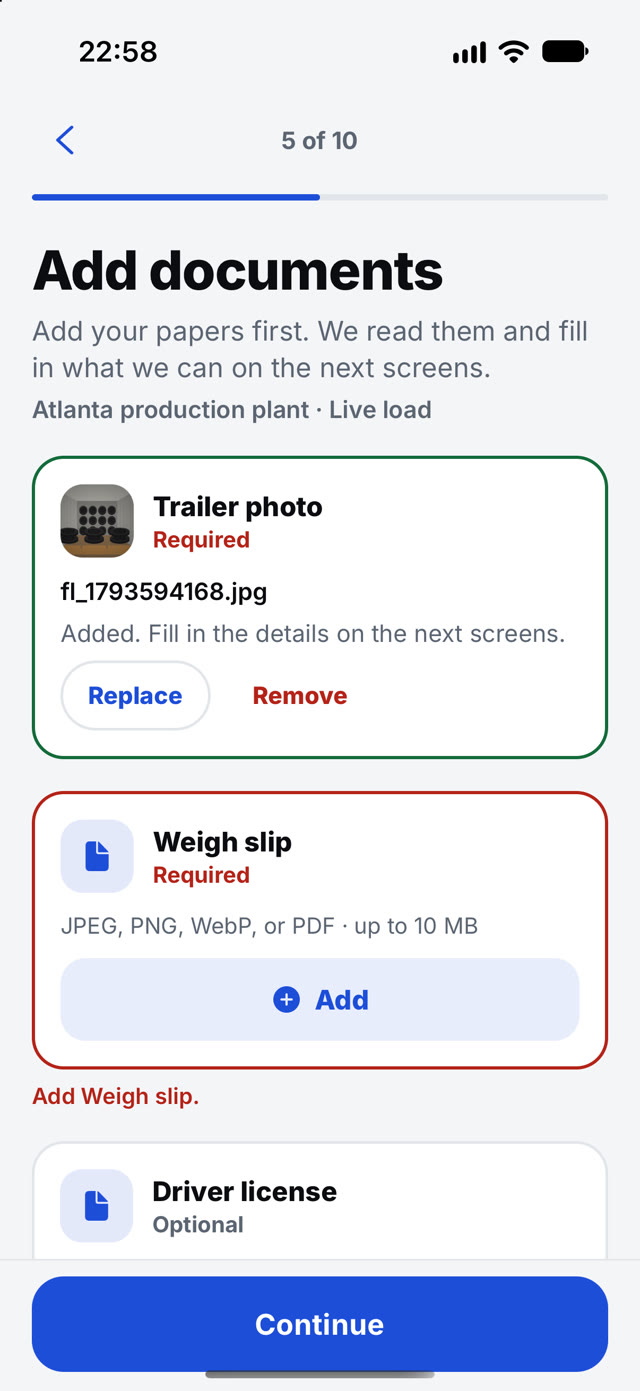
- Add your papers first. Partner reads them and fills in what it can on the next screens
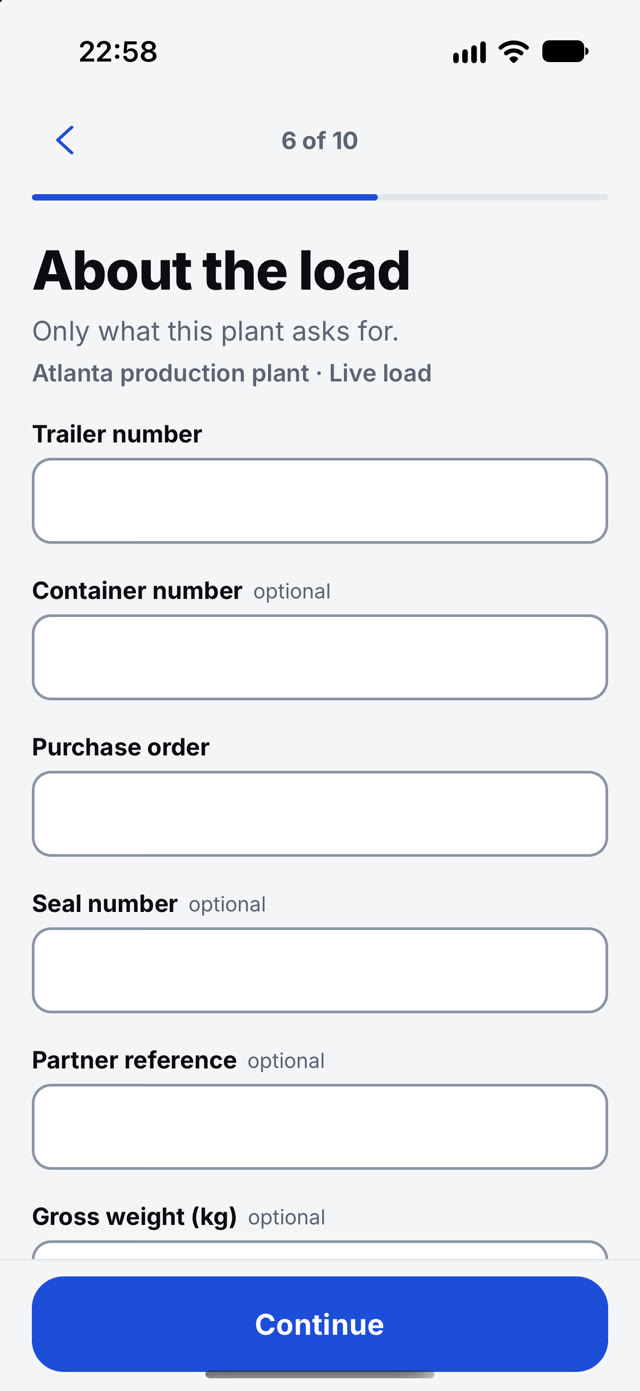
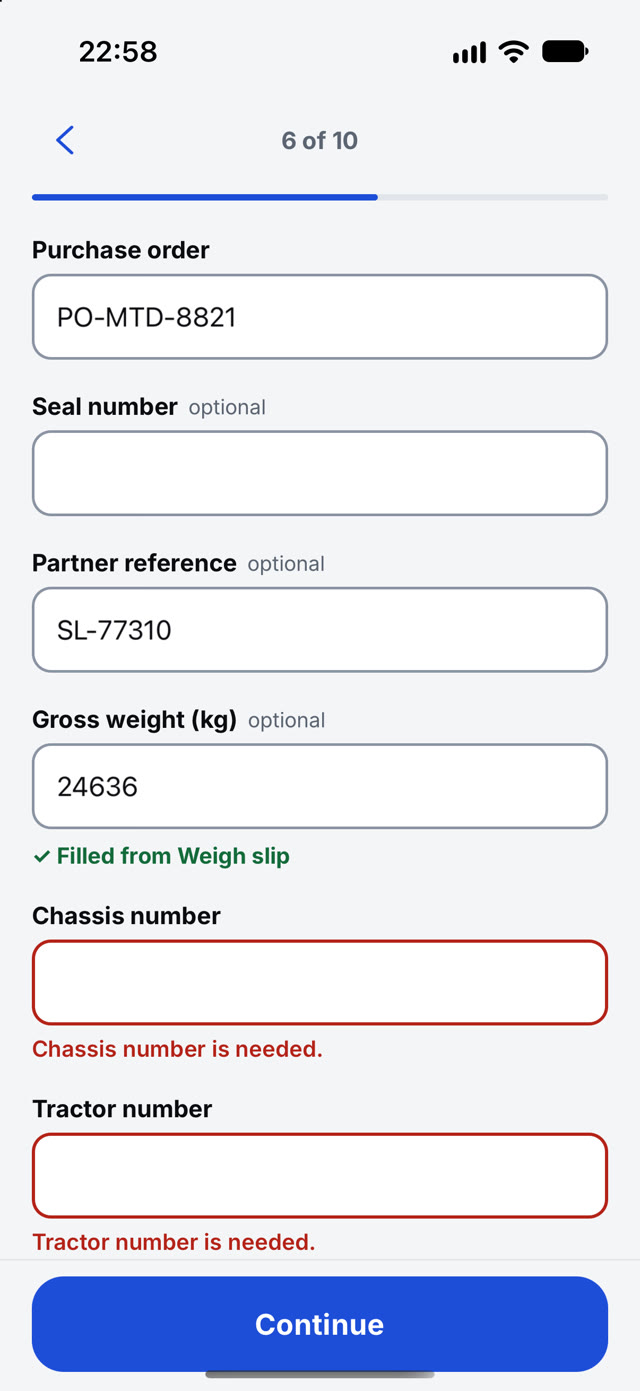
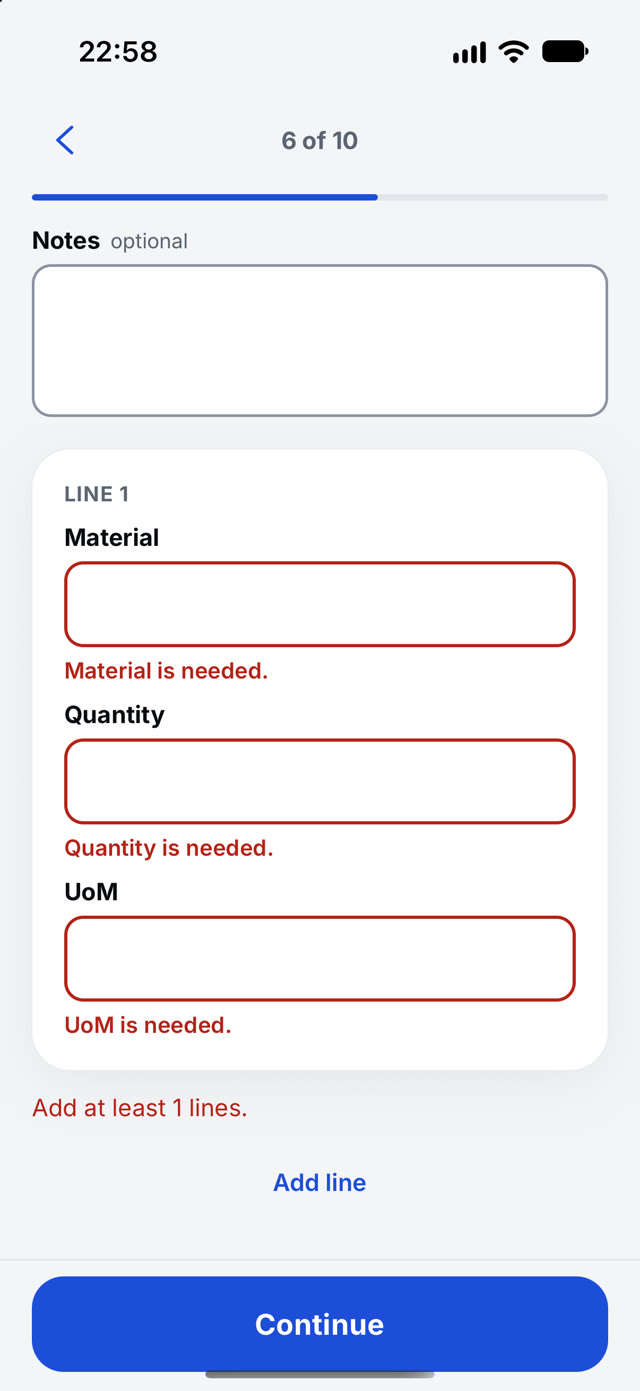
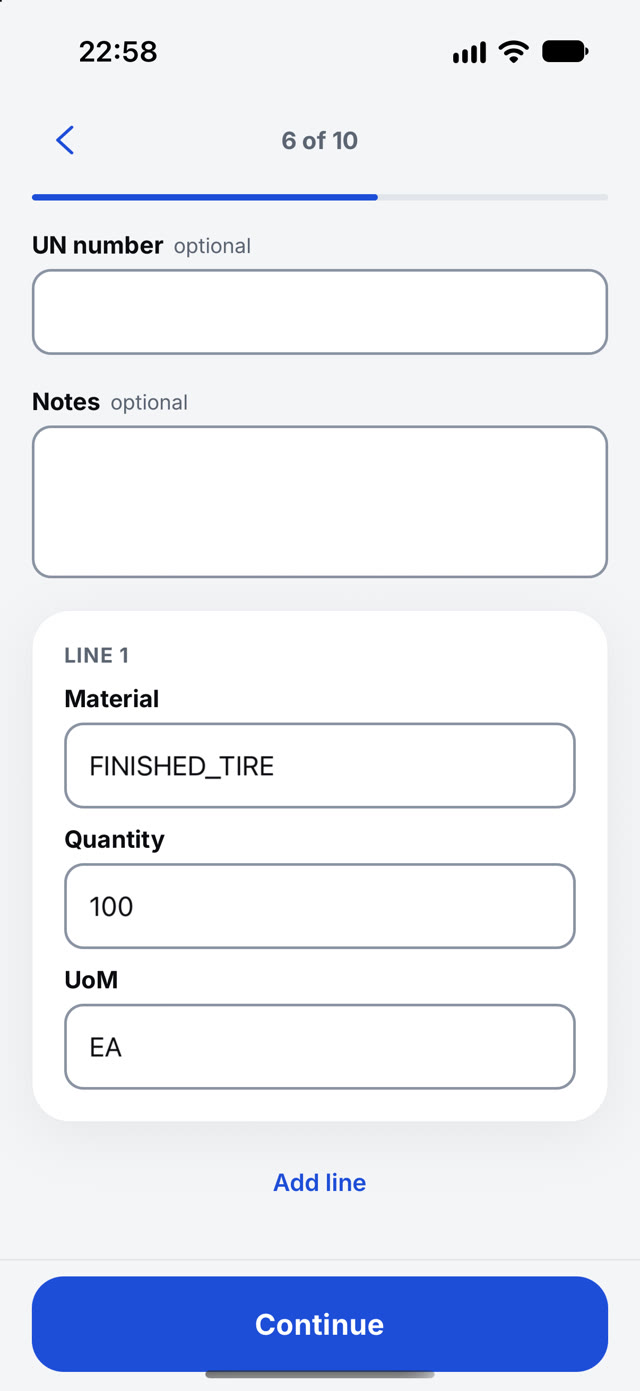
- Trailer, container, purchase order, seal, weight and material lines in one flow
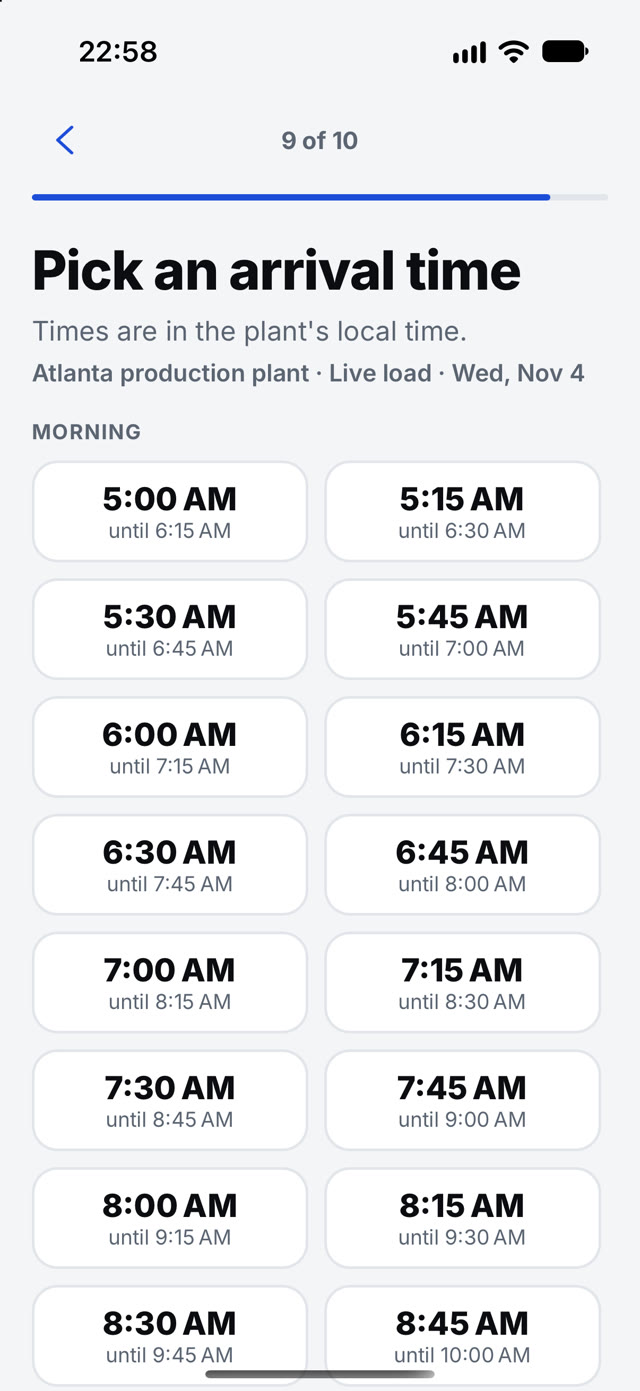
- Pick an arrival time from the plant's open slots
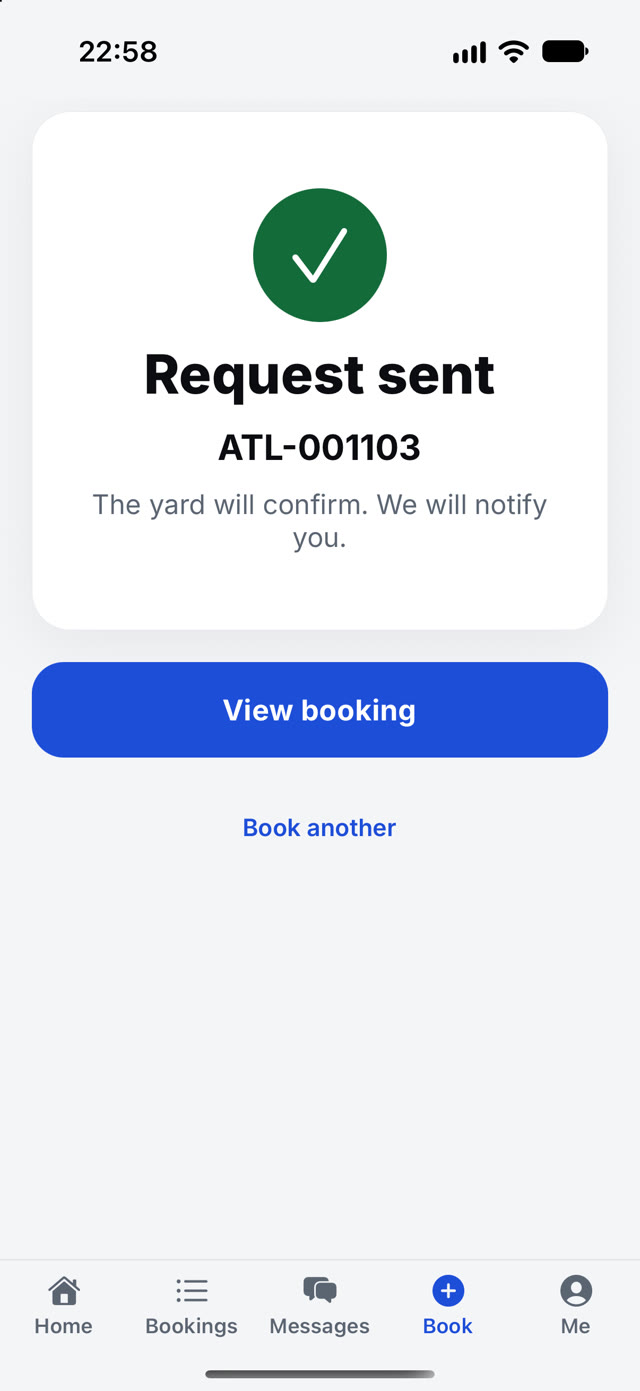
- The yard confirms and you are notified. Messages and bookings sit one tap away
- Tracking after the visit: left the yard, in transit, delivered, with a proof-of-delivery photo
Watch it work
Real recordings from the product.
What it is worth
What Partner does for the business.
Phone calls to book
The request goes in with papers attached, any time of day.
Bookings that arrive complete
Facts come from the papers, so the gate is not retyping them.
Arrival surprises
Slots are the plant's own, so a confirmed time is a real time.
The arrival pass
The driver opens Partner and shows the pass.
One pass per driver per visit, with an 8-character code and a QR. The gate scans it once. If there is no signal, the guard can type the code from the e-mail.
Your arrival pass
Show this code to the guard at the gate.
Riley Chen
Valid until Mon, Nov 9, 2:00 PM
No signal? The guard can also type the code from your e-mail.
Messages
Ask, answer and upload on the visit.
- Only staff of that site can see the thread
- Document requests close when the paper arrives
- Gate-in and gate-out notices go out on their own
- Unread too long? An e-mail follows
Built for the real yard
Works with no signal. Proves where it happened.
Offline-ready
Check-ins, inspections, counts, photos and Delivered are saved on the device first.
In the order it happened, and never twice.
If something cannot be sent, the person sees it.
Location you can show
Load proof is stamped to about 5 metres, with the device.
GPS position and accuracy, against the allowed distance from the destination.
Partner shares location for an accepted trip only. Go and Yard never track in the background.
Questions
Straight answers, in full.
Who is Partner for?
Carriers. They book from their phone: papers first, then the gate, the load and a time from your open slots. The request arrives complete.
How does the driver get through the gate?
When the booking names a driver, that driver gets a one-time arrival pass with an 8-character code and a QR. It shows on the Home tab, and the gate scans it or types the code.
Can the yard message the carrier?
Yes. Messages sit on the visit. The yard can ask for a document and the answer comes back on the same thread, and gate notices go out on their own.
The other apps
 Go
 Yard