Dwell and alerts
A clock and a cost on every trailer.
See how long each trailer has been on the yard, how long a load took, and which containers are past their free days, before a carrier calls.
What it is worth
What changes for the business.
Detention and demurrage surprises
A clock and a cost sit on every trailer and container.
Moves done on time
You see where the minutes go.
Carrier calls
You see the delay first.
How a visit moves
Four steps, one record.
- 1StartThe clock starts at the gate.
- 2WatchDwell and free days.
- 3AlertBefore it costs.
- 4CloseTime kept on the record.
Dwell and charges
The clock runs. The charge builds. At gate-out it freezes.
Free time, elapsed units, chargeable units and a tier table sit on every visit. When the truck gates out, the charge is locked and cannot drift afterwards.
Free time, tier breakdown, and accrued charges for this visit. Policy comes from site rules and any partner overlay.
Tier breakdown
What you can do
Everything on one screen, no side trips.
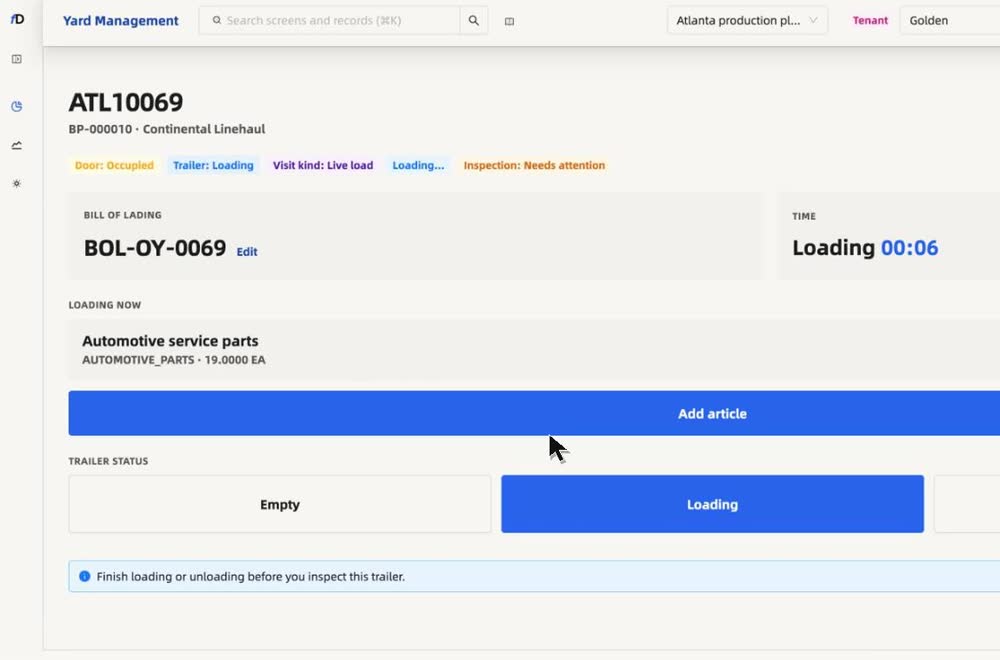
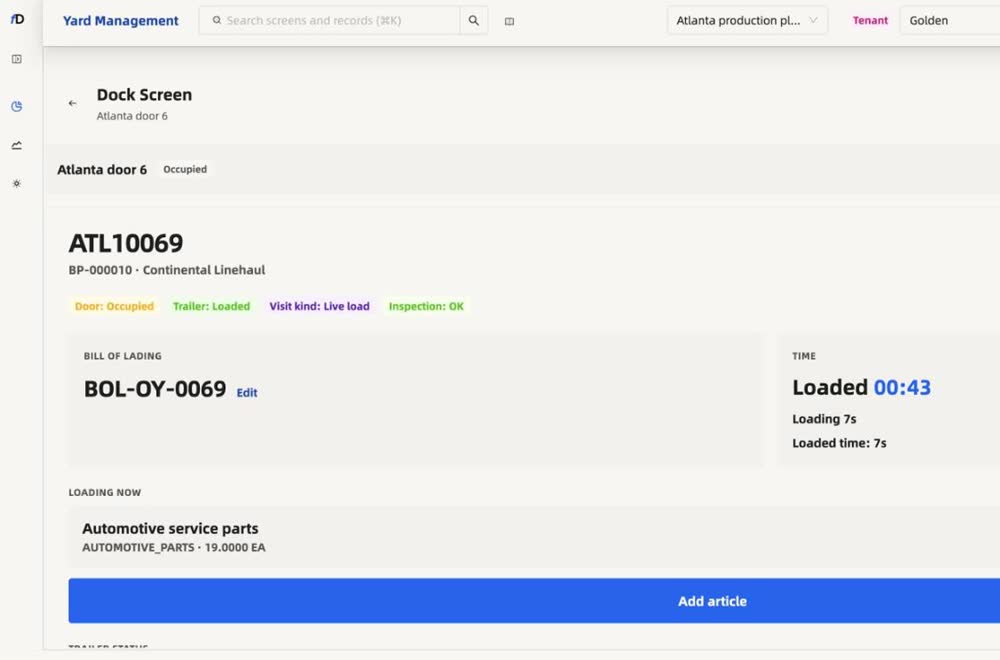
- A running clock on loading and unloading
- Time taken shown when the load is done
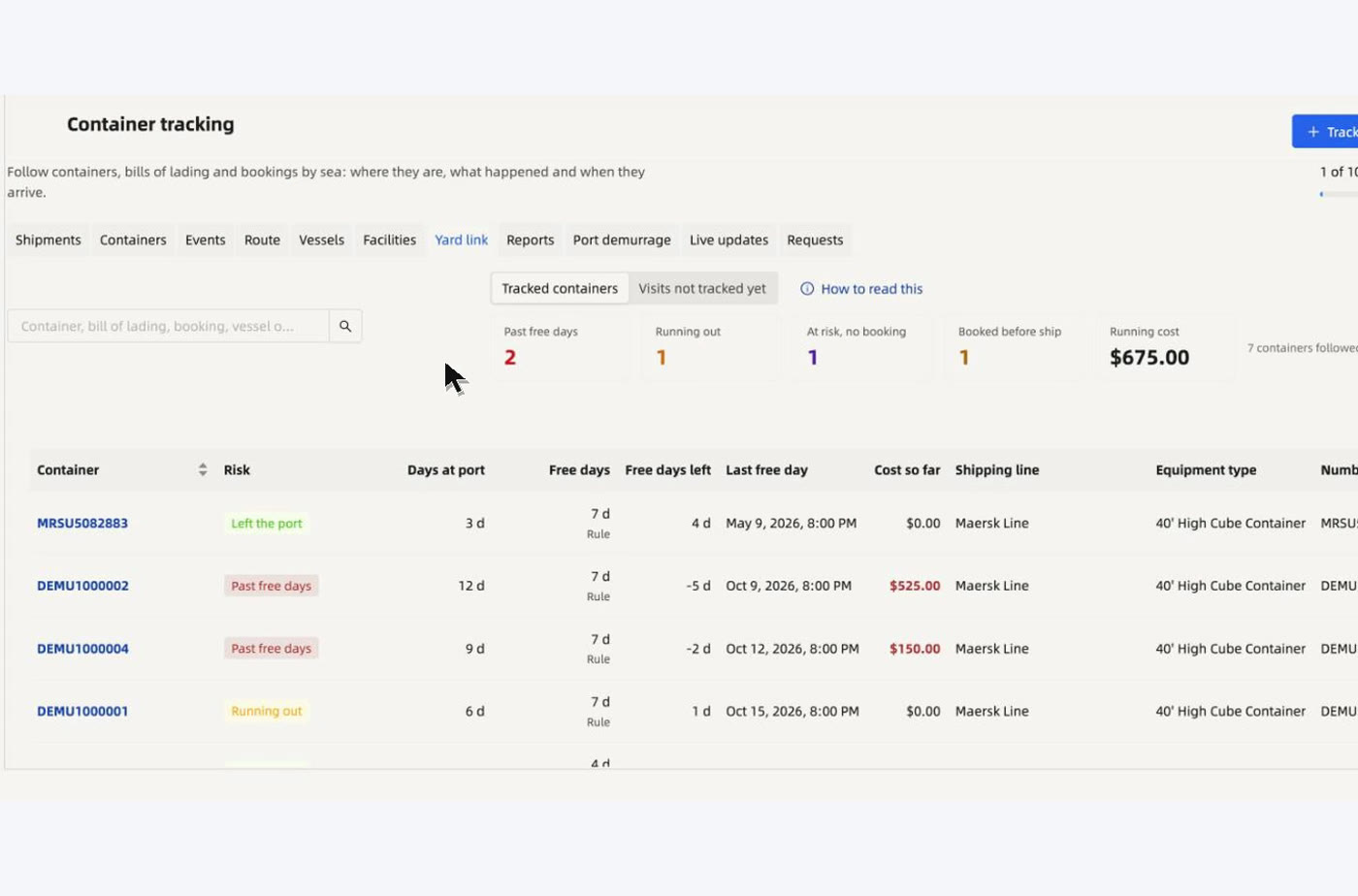
- Containers joined to yard bookings by number
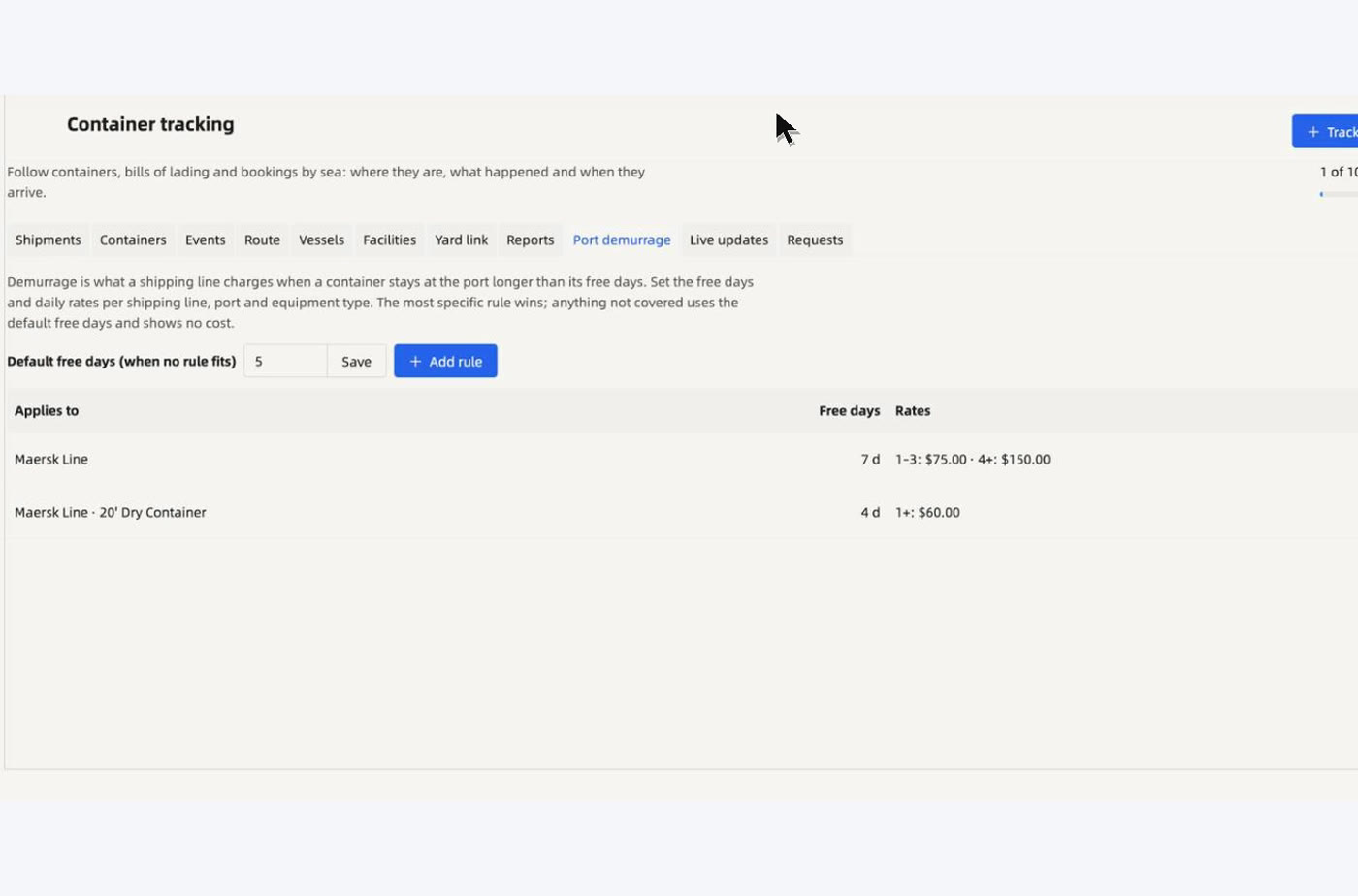
- Free days and demurrage rules per shipping line
- Past free days and running cost on every container
- Alerts before the cost shows up a week late
In depth
Dwell and alerts, explained.
The clock
How dwell and detention are counted
Every visit carries a dwell clock. Free units come first. After that each unit is chargeable at the rate in your tier table, and the charge builds step by step. At gate-out the charge is locked and does not change afterwards.
| On the visit | What it shows |
|---|---|
| Status | Free time, in fees or closed |
| Elapsed units | How much time has passed on the clock |
| Free units remaining | What is left before charges start |
| Chargeable units | Units past the free time |
| Accrued total | The charge so far, frozen at gate-out |
| Tier breakdown | Step, from, to, units, rate and amount |
Disputes
Detention you can prove
A detention dispute is an argument about minutes. Arrival, door and gate-out times are time-stamped on the visit, and the charge is worked out from your rules and kept in a history. Supervisors can adjust a charge, and the adjustment is on the record.
Alerts
Alerts before the charge starts
Dwell alerts tell the yard when a visit is close to the end of free time, so the team can act before a charge begins.
Questions
Straight answers, in full.
How are dwell charges worked out?
Each site sets free time and rates. floDock counts elapsed units, shows free units left and chargeable units, builds a tier table and accrues the total.
Does the charge keep changing after the truck leaves?
No. At gate-out the charge is frozen and does not change afterwards.
Who sees the alerts?
A trailer that goes over its free time turns red on the map, and the team sees what to do next.
How does floDock track dwell time?
The clock runs by visit stage — gate, staging, lot, and door — on the yard map and visit card so teams see aging before carriers call.
What triggers alerts?
Your site sets the rules — missing documents, dwell thresholds, lane pressure — and floDock surfaces them on the live alert panel so someone can act.
See it on your own yard.
Talk to our team and we will walk through your gates, doors and carriers.
Talk to our team